
Online converters ask too much
Web tools often put an upload step between you and a simple format change.
Private file conversion
LocalFlux handles your images, videos, audio, and office documents directly on your device. Skip the slow web uploads and keep your personal files strictly private.
No uploads. No accounts. No tracking.
Windows, x64 | Microsoft Store | $19.99 USD | One-time purchase
Why LocalFlux
LocalFlux keeps supported conversion work on your PC, keeps the steps easy to follow, and stays focused on getting files into the format you need.
Web tools often put an upload step between you and a simple format change.
You shouldn't need an expensive, complicated media editor just to change a file's format or reduce its size.
LocalFlux creates converted copies with safe names, so source files are not overwritten.
Why people use it
Add files, choose a supported output format, and create converted copies without digging through a huge feature list.
Choose the exact output format you need without digging through vague promises or complex menus.
Queue up multiple files and process them all at once. Let your PC handle the heavy lifting in the background.
LocalFlux creates brand new converted copies, ensuring your original source files are never altered or accidentally overwritten.
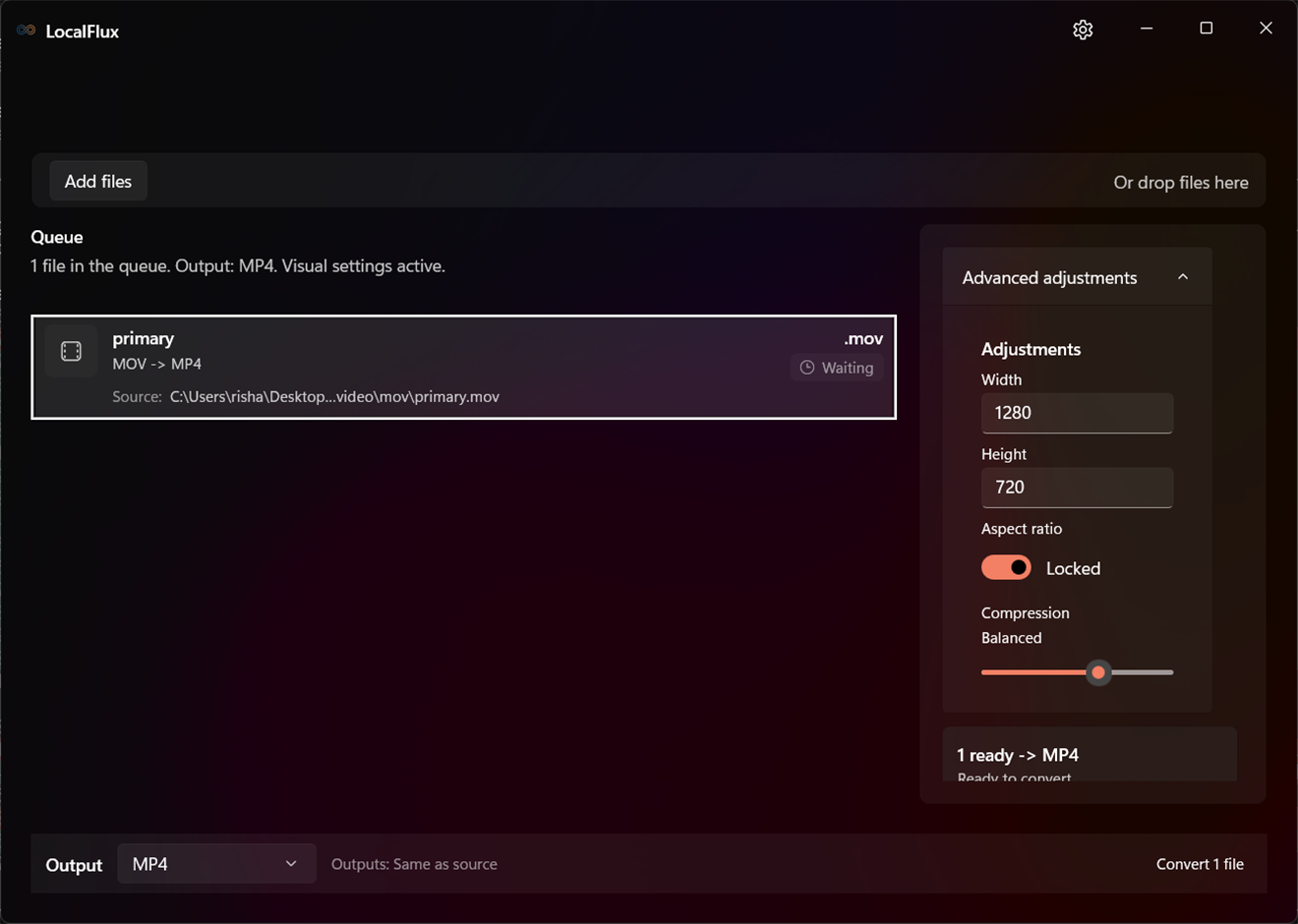
Easily resize images and videos, or adjust quality to balance clarity and file size without overwhelming settings.
Pull MP3 or WAV audio tracks directly from supported video files.
If a file can't be converted, built-in diagnostics help explain what happened.
How it works
Drag and drop your files into the app, or send them straight from Windows Explorer.
Pick the exact output format you need for your batch of files.
Fine-tune size, quality, or compression if you need to reduce the file size.
Click convert. Your new files are saved directly to your PC, while your originals remain completely untouched.
Supported conversions
These examples show the kinds of everyday conversions LocalFlux is built for, with clear limits instead of vague all-to-all promises.
Images and icons
Convert everyday image formats, including phone photos, web images, icons, SVG, AVIF, GIF, TIFF, BMP, and RAW where supported.
Listening formats and audio capture
Convert common audio formats for playback, or extract MP3 or WAV audio from supported video files.
Playback ready outputs
Convert supported video files into MP4, MOV, WebM, or GIF where supported.
Markdown, Office, and OpenDocument
Convert supported documents to PDF, HTML, TXT, and compatible office formats. LocalFlux is not a PDF editor.
Practical controls
LocalFlux keeps conversion straightforward. Options to resize or adjust quality appear only when they actually apply to your files.
Quickly resize your images and videos to fit your needs.
Proportions are protected automatically so your images and videos never look distorted.
Lower the file size or maximize quality with simple, clear adjustments.
Open your newly converted files or their folder the moment they're ready.
New files are automatically renamed so your originals are never lost.
If a file fails, plain-text diagnostics explain exactly what went wrong.
Trust details
LocalFlux includes the components, safeguards, and policy details needed for a straightforward Windows conversion workflow.
ImageMagick, FFmpeg, and LibreOffice are bundled for supported image, media, and document routes.
Install from the Microsoft Store, add files, choose an output, and convert.
Once installed, normal supported conversions can run offline.
Converted files are written as new copies, with output names chosen to avoid accidental overwrites.
Third-party license and notice information is available inside the app.
Troubleshooting details are intended to help explain conversion failures on your PC.
Microsoft Store
Get LocalFlux from the Microsoft Store. Pay once for the Windows app and use it for supported image, video, audio, and document conversions.
LocalFlux
FAQ
No. Normal conversions run on your Windows device.
No. You can use the app without LocalFlux sign-in or account setup.
LocalFlux handles common everyday formats for images, videos, audio, and office documents. It focuses on the formats people actually use, rather than promising all-to-all conversion.
Yes. LocalFlux converts standard office documents and text files into PDFs, HTML, or other compatible formats.
No. LocalFlux can save your documents as PDFs, but it does not let you edit or rearrange PDF pages.
Yes. For supported images and videos, you can easily resize dimensions or lower the quality to reduce the final file size.
Never. LocalFlux always creates a brand new converted copy, leaving your original file completely untouched.
Yes. Once you install it from the Microsoft Store, normal supported conversions can run offline.
LocalFlux bundles trusted, industry-standard tools (like FFmpeg, ImageMagick, and LibreOffice) directly inside the app, so you don't have to install them separately.
Ready when you are
Get LocalFlux from the Microsoft Store and handle supported everyday conversions on your Windows PC.
Windows desktop app | $19.99 USD | One-time purchase | Local conversion