
HEIC → JPEG
Batch-convert phone photos
Queue multiple HEIC or HEIF photos and create widely compatible JPEG copies together.
Batch-convert HEIC photos, shrink videos to a target size, create PDFs, and remove photo metadata. It all happens offline, without uploads or subscriptions.
Windows 11 · x64 + ARM64 · Microsoft Store
Choose a LocalFlux action in File Explorer. The app opens automatically with your selection ready to review—without a browser upload or manual file picking.
| Difference | Online converter | LocalFlux |
|---|---|---|
| Large files | Upload the entire 2 GB video before conversion can begin. | Keep a supported 2 GB video on your PC and start processing locally. |
| Transfer time | Wait for upload, conversion, and download. | Skip both transfer steps; conversion time depends on your file and PC. |
| Limits and pricing | File-size caps, daily quotas, and recurring plans can interrupt the job. | No app-imposed file-size cap or daily conversion quota; free trial, then a one-time purchase. |
| Confidential work | Confidential client files leave your device for third-party processing. | Supported jobs stay on your device, reducing exposure for NDA- and GDPR-controlled workflows. |
Start with the result you need. LocalFlux keeps the route explicit and shows only the controls that apply.
HEIC → JPEG
Queue multiple HEIC or HEIF photos and create widely compatible JPEG copies together.
Video → target size
Use practical compression presets or a maximum-size goal while keeping the original file intact.
Office → PDF
Turn supported Office, OpenDocument, text, or Markdown files into local PDF copies.
Image → safer copy
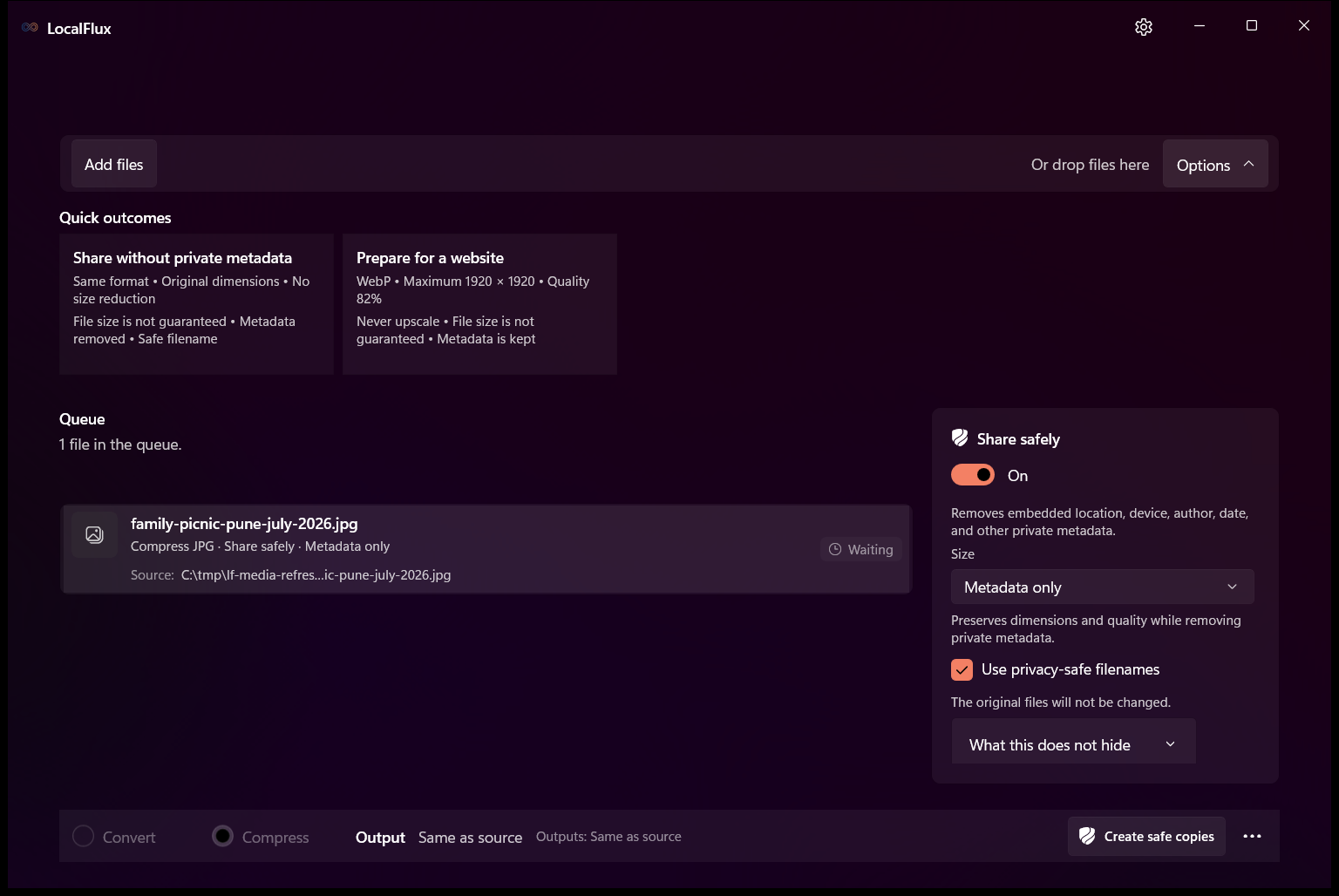
Create JPG, PNG, or WebP copies without supported location, device, author, and date metadata.
Version 1.0.8.0 compatibility contract: 265 supported source-to-output routes.
Add files, choose an explicit result, and open the completed copy or its folder. Normal supported jobs stay on your PC.
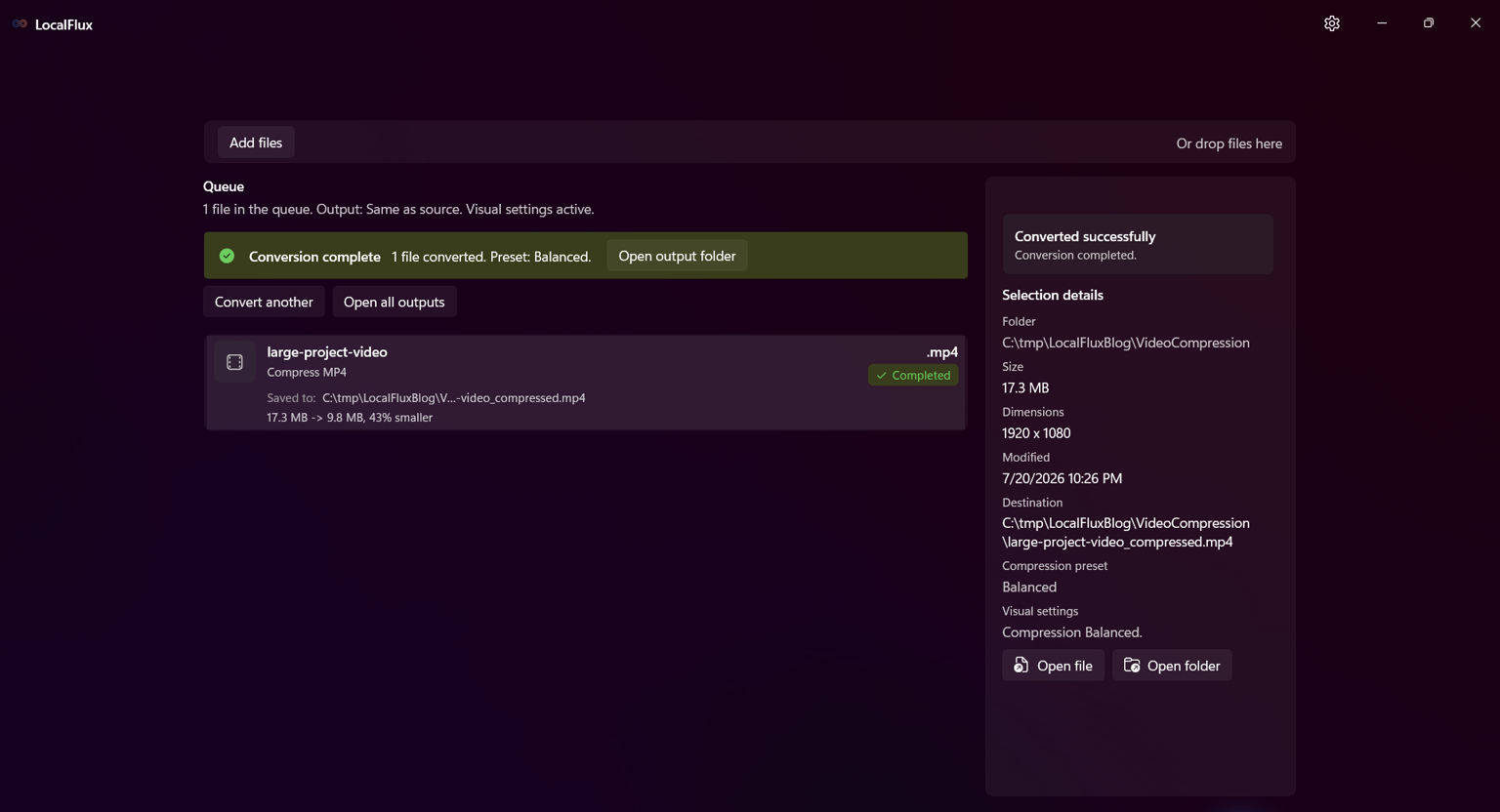
LocalFlux shows the original size, output size, and percentage saved instead of promising the same result for every file.
Measured with one synthetic 1080p test video using Balanced. Results vary by file and preset.
Supported conversion engines are included with the app, so ordinary file jobs do not need a conversion website, account, or tracking telemetry.
Files are processed on your Windows PC without an email address or cloud conversion step.
Converted and compressed outputs use collision-safe names while source files remain untouched.
Bundled engines support normal compatible work without an internet connection after Store installation.
Install LocalFlux from the Microsoft Store, test it with the free trial, then make one purchase if it fits your workflow.
Free trial · one-time purchase · regional pricing applies
Start free trialNo. Normal supported jobs run locally on your Windows PC without uploading the source files to LocalFlux.
No. It writes converted, compressed, and privacy-safe results as new files with collision-safe names.
The dedicated format finder lists every current source, output, same-format compression, and verified lossless-optimization route.
Open the supported format finderNo fixed result is guaranteed. Source content and settings matter, and LocalFlux reports the measured output instead of inventing a saving.
Internet is needed for Store installation. After that, normal supported conversions can run offline.
The Microsoft Store provides the free trial and shows the one-time purchase price for your region. There is no subscription.