
DOCX to PDF converter for Windows
Convert locally without uploading your file
DOCXPDF
- Your files stay on your PC
- Original files remain unchanged
- Works offline after installation
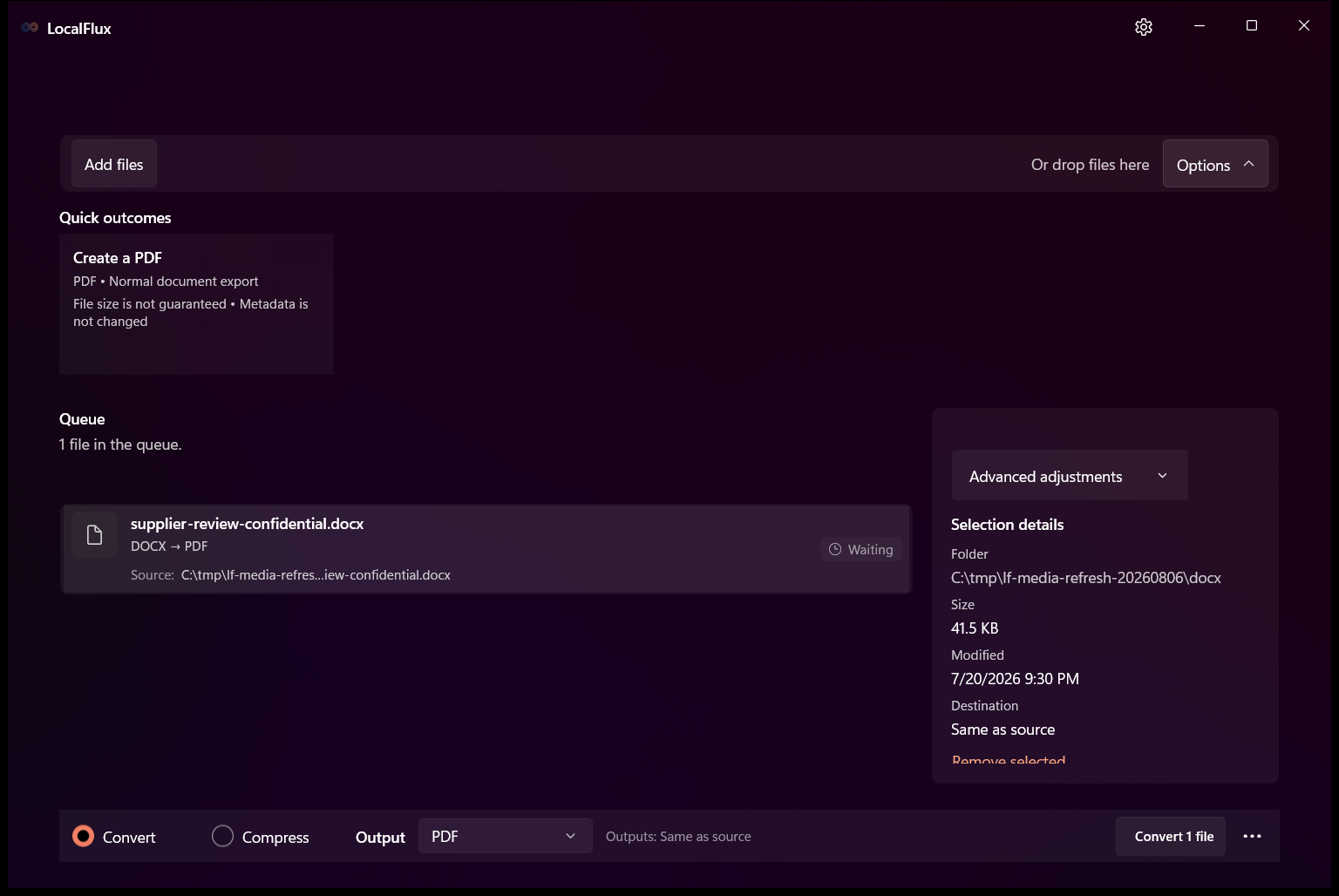
DOCX to PDF in three clear steps
-
Add DOCX files
Drag supported DOCX files into LocalFlux or choose Add files.
-
Choose PDF
Select Convert and confirm PDF as the output for the batch.
-
Convert on your PC
Choose the destination, start the job, and review the new copy.
When this route helps
Useful for contracts, reports, briefs, and forms that need a stable viewing or printing copy. Keep DOCX for editing and review the PDF before formal delivery.
Fonts and Word-specific layout can change
Unavailable fonts, fields, tracked changes, macros, equations, embedded objects, and tightly packed pages can render differently. A completed conversion still needs page-by-page review.
Questions about this conversion
Will the PDF always look exactly like Microsoft Word?
Do not assume so. The controlled fixture matched its LibreOffice reference, but unavailable fonts and Word-specific behavior can change real documents.
Does LocalFlux upload the source file?
No. Normal supported conversion runs on your Windows PC without a file-upload step or account.
Will LocalFlux overwrite the original?
No. LocalFlux writes a new output copy and leaves the source file unchanged.
Create your PDF copy from DOCX locally
Install LocalFlux from the Microsoft Store and keep supported everyday conversion on your Windows PC.