
Mixed JPG, PNG, and WebP batch
- Build
- 1.0.7.0
- Tested
- August 2, 2026
- Result
- 12 of 12 completed; sources retained; one already-optimized PNG copied byte for byte.
LocalFlux Trust Center
LocalFlux processes supported files on your Windows PC. Normal conversion, compression, and privacy-safe image processing do not upload your source or output files to Fuzzysense. No LocalFlux account is required, and the app does not send usage analytics or remote crash reports during normal use.
Adding a file, choosing an output, running a supported job, and writing the result happen on the Windows device. There is no upload stage in this processing path.
The statement “processed locally” describes the file route, not every network activity that Windows may perform.
During normal LocalFlux use, Fuzzysense does not receive a usage stream from the app.
LocalFlux may store settings, output preferences, window placement, local conversion-failure records, and local crash logs so the app can work and be troubleshot. This information remains on the device unless you deliberately choose to share it. You can remove outputs, clear app data, delete local logs, or uninstall the app, subject to normal Windows behavior.
LocalFlux includes the components needed for its supported routes, so normal work does not depend on a cloud conversion service or a separately configured command-line installation.
Third-party notices and licences are included with the app. Engine availability does not mean every possible format or conversion is supported; the Formats directory lists the routes LocalFlux exposes. Formats
LocalFlux is designed to leave the selected source in place and publish the result as a separate file.
Creating a separate output protects against an accidental overwrite during this operation. It is not a backup strategy. Keep independent backups of irreplaceable files.
Verified lossless is a result contract, not merely the name of an encoder setting. LocalFlux 1.0.7 uses a fail-closed workflow for supported image routes.
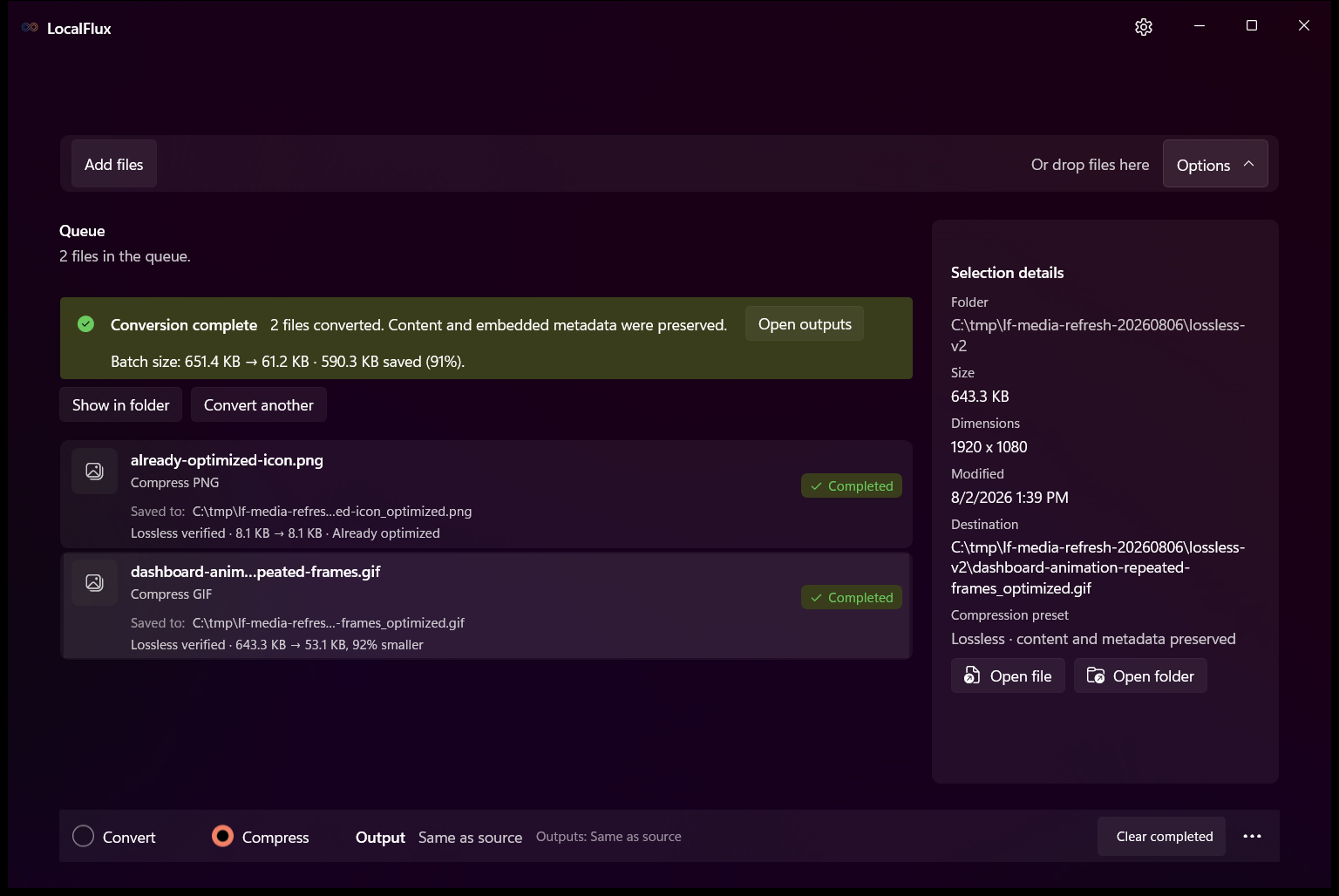
“Verified” refers to the explicit content and metadata invariants checked by the named LocalFlux version for its supported routes. It is not a claim that every conceivable property of every file format has been mathematically proven equivalent.
Use a synthetic or otherwise non-sensitive sample. Do not begin with an irreplaceable file.
An IT reviewer can watch the LocalFlux process in Windows Resource Monitor or temporarily block that app’s outbound traffic with Windows Firewall before repeating the sample conversion. Record the app version, input hash, output hash, and final file sizes with the test.
Windows, Microsoft Store, antivirus software, browsers, and other background processes may attempt their own network activity. Attribute traffic to the responsible process; do not treat unrelated Windows traffic as LocalFlux file processing.
These records use synthetic, rights-cleared inputs and the live Microsoft Store build. They document the tested version, exact bytes, hashes, screenshots, and important scope limits.
This page describes the current LocalFlux trust model and names the builds behind the published evidence. If telemetry, network behavior, bundled engines, output handling, or verification logic changes, this page and its evidence record must be reviewed again.