
HEIC to JPG converter for Windows
Convert locally without uploading your file
HEICJPG
- Your files stay on your PC
- Original files remain unchanged
- Works offline after installation
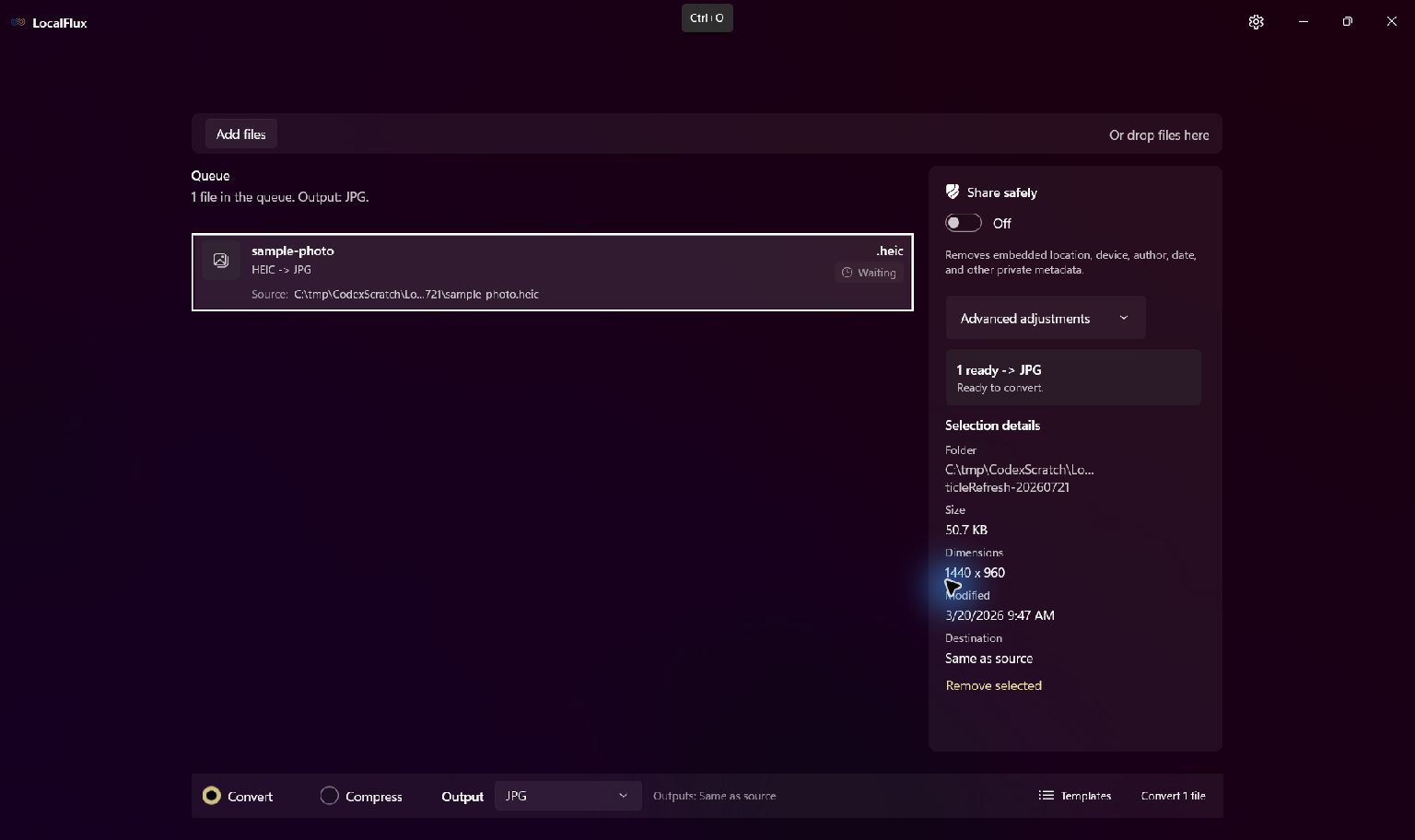
HEIC to JPG in three clear steps
-
Add HEIC files
Drag supported HEIC files into LocalFlux or choose Add files.
-
Choose JPG
Select Convert and confirm JPG as the output for the batch.
-
Convert on your PC
Choose the destination, start the job, and review the new copy.
When this route helps
Useful when a printer, document system, editor, or upload form does not accept HEIC. Keep the original for HDR, depth, and future editing information.
A compatibility copy, not a quality upgrade
JPG is lossy and cannot preserve every HEIC representation. The output can also be larger than an efficient HEIC source, so review color, orientation, detail, and metadata before sharing.
Questions about this conversion
Will the JPG always be smaller than the HEIC?
No. HEIC can compress photos more efficiently. Choose JPG for destination compatibility, not as a guaranteed size reduction.
Does LocalFlux upload the source file?
No. Normal supported conversion runs on your Windows PC without a file-upload step or account.
Will LocalFlux overwrite the original?
No. LocalFlux writes a new output copy and leaves the source file unchanged.
Create your JPG copy from HEIC locally
Install LocalFlux from the Microsoft Store and keep supported everyday conversion on your Windows PC.